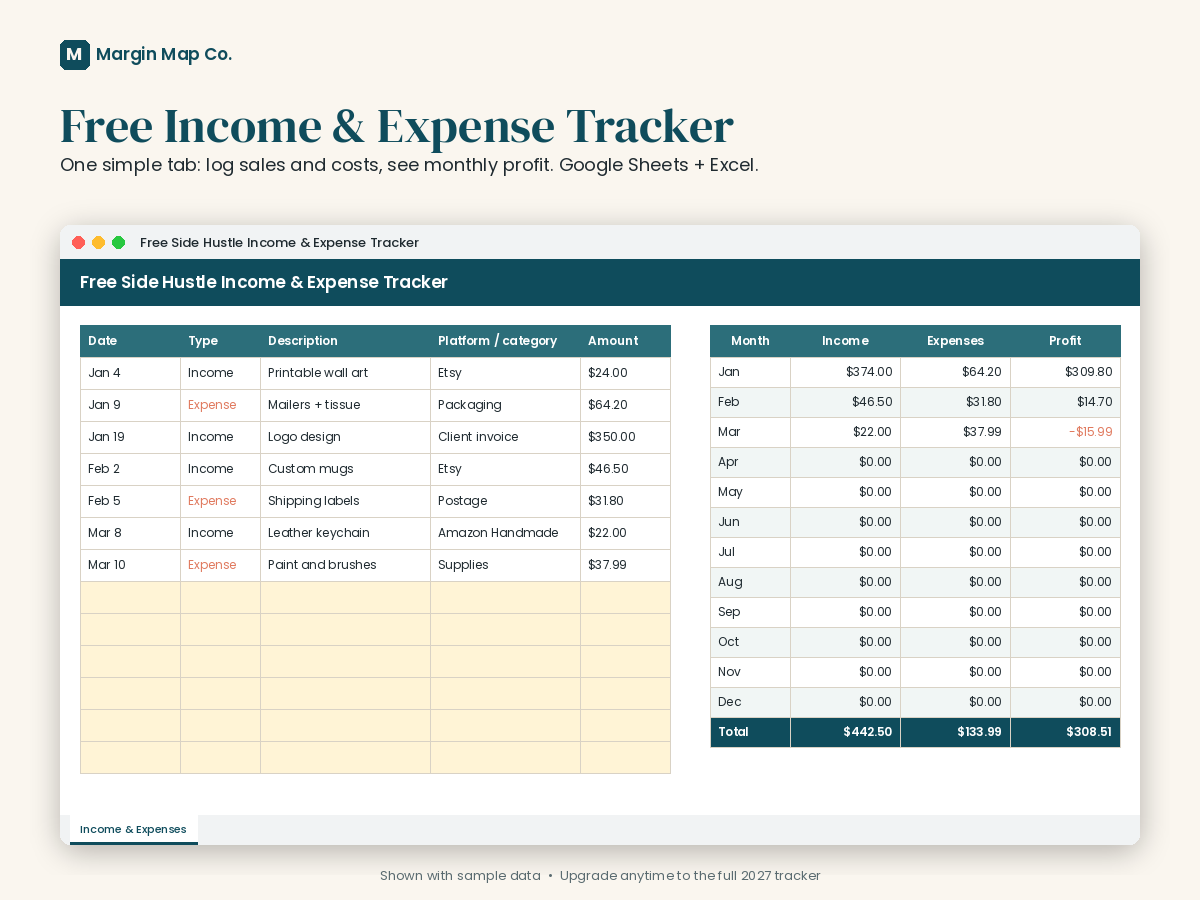
Free
Income & Expense Tracker
Log each sale or cost on one tab and see monthly income, expenses, and profit automatically. Works in Google Sheets and Excel.
$0
Margin Map Co. makes straightforward Google Sheets and Excel templates so you can track income, fees, expenses, and a tax set-aside without learning accounting software.
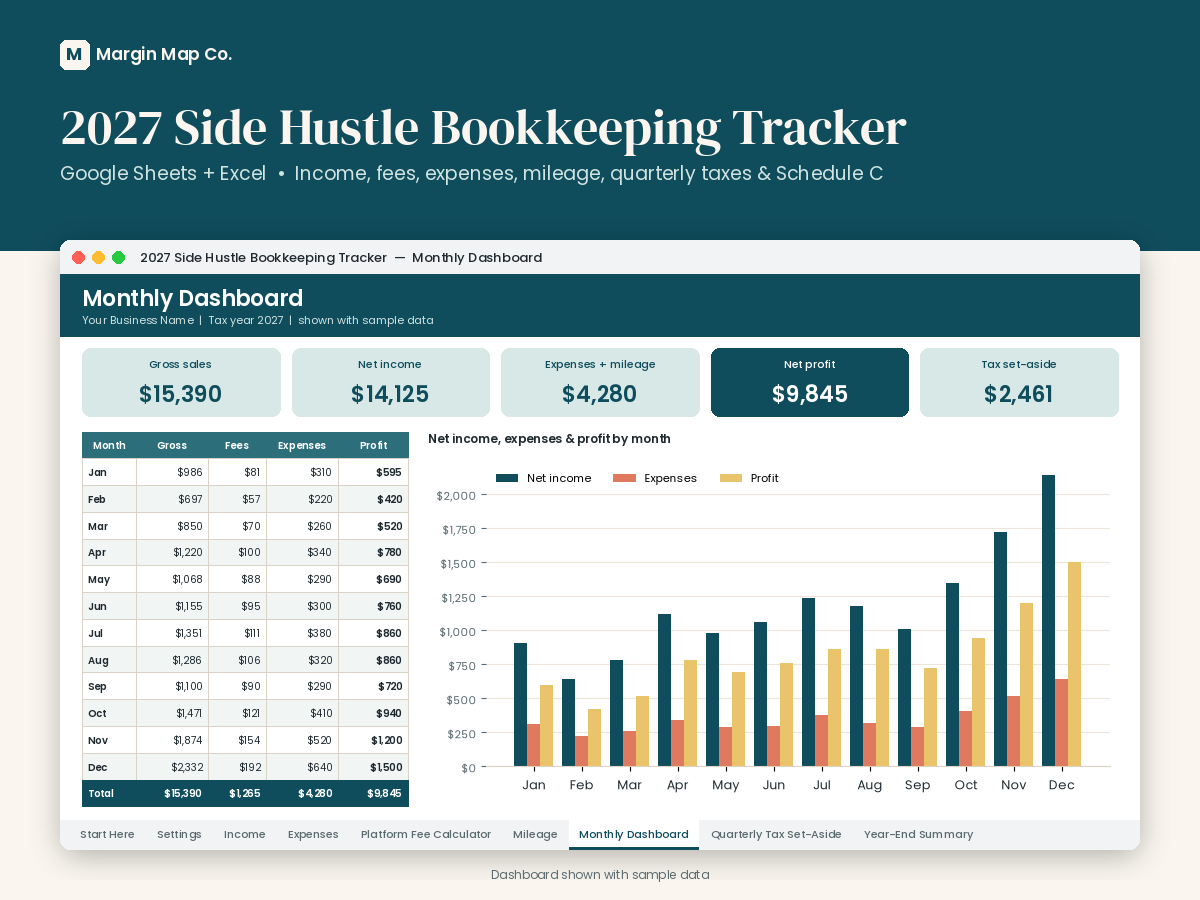
Start with a free income and expense log. Upgrade when you need platform fees, mileage, quarterly tax dates, and a year-end summary.
Log each sale or cost on one tab and see monthly income, expenses, and profit automatically. Works in Google Sheets and Excel.
$0
Income, expenses, platform fee estimates, mileage, quarterly tax set-asides, and a year-end summary organized like IRS Schedule C.
$15
No macros, no monthly subscription, and no accounting jargon required.
Dashboards and monthly totals subtract fees and expenses so you can see what you kept — the number that should drive prices and tax set-asides.
Marketplace rates change. The paid tracker estimates fees for common platforms and lets you type the exact amount from a payout report.
These are record-keeping templates. They organize your numbers for you or a tax preparer. They are not tax, legal, or accounting advice.
Start here if you are setting up a log, a fee habit, or a tax set-aside. All articles
A practical guide to logging side hustle sales and costs in Google Sheets or Excel so you can see monthly profit—not just revenue. Includes a free tracker.
A plain-English overview of quarterly estimated taxes for side hustlers, including 2027 due dates and why many people set aside a percentage of profit. Not tax advice.
Learn how listing, transaction, and payment fees affect what you keep on Etsy and other marketplaces—and how to log them so profit isn't a guess.
One tab, automatic monthly profit, ready for Google Sheets or Excel. Upgrade later if you need more.
Download the free tracker